


Your practice.Connected to Kiwi.
Prescribing tools and clinical resources for your practice.
A look inside the portal.
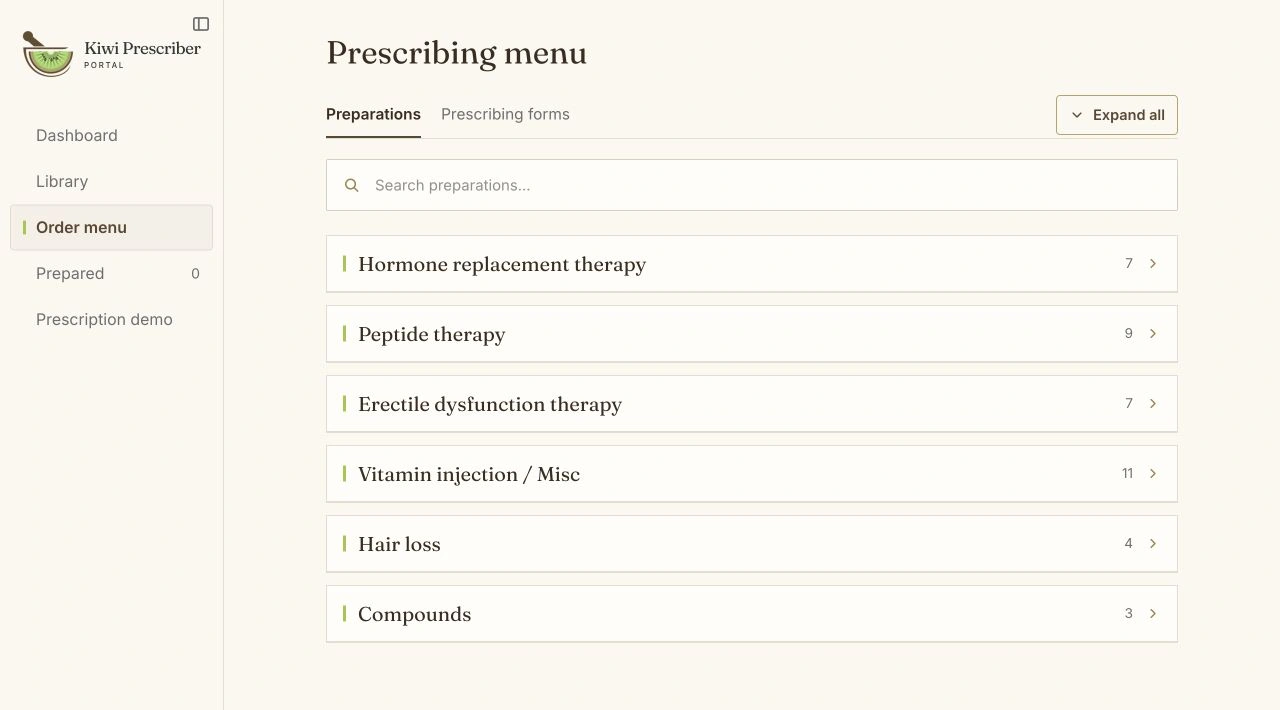
Your clinic’s menu
A prescribing menu tailored by Kiwi to the preparations your clinic uses.
Your prescribing forms
Download prescribing forms for your clinic to complete, review, sign and send.
Your clinical resources
Read clinical monographs and pharmacy updates, and save references for later.
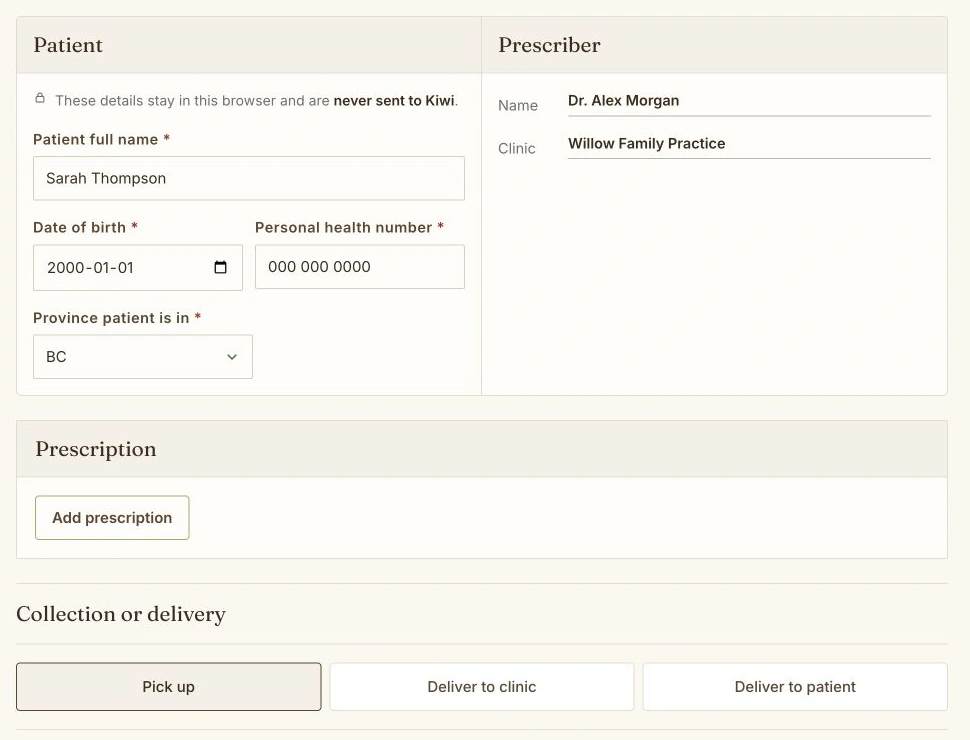
Prepare a prescription.
Prepare, review and sign your PDF. Where available, choose Send to Kiwi Pharmacy, or download it for your clinic’s approved process.
Get started with Kiwi.
Create your account in three short steps. Confirm your email, attest to your professional details and start using the portal while Kiwi completes its internal check.
- 1
Tell us about your practice
Create an account with your professional and clinic details.
- 2
Enter your workspace
Confirm your email, choose a password and arrive in your own dashboard with your details saved.
- 3
Open the tools
Browse the clinical library and Kiwi’s general menu, and prepare downloadable prescriptions. Kiwi may follow up to confirm your registration and clinic connection.
Using the portal
Can our clinic have its own menu?
Yes. Kiwi can tailor your menu to the preparations your clinic uses. Ask the pharmacy team to set it up or make changes.
How do I prepare a prescription?
Find a preparation in Order menu and select Prepare prescription. Add the patient details, review and sign the PDF, then use an available send option or download it for your clinic’s approved process.
Where are the prescribing forms?
Open Order menu, then Prescribing forms. Download the PDF you need and complete it through your clinic’s usual process.
Does the portal send prescriptions to Kiwi?
If Send to Kiwi Pharmacy is available to your approved account, the named prescriber can review the signed PDF and explicitly authorise a fax to Kiwi after recent authenticator verification. Otherwise, download it and use your clinic’s approved process. Keep the required clinical record in the appropriate system. A preparation record alone does not confirm delivery.
Can I repeat a previous preparation?
Yes. Open Prepared to use a previous preparation as a starting point. Enter the patient details and review the new prescription. Prepared is a history of PDFs you created, not confirmation that Kiwi received them.
What can I find in the Library?
Find clinical monographs and resources published for your account. Save the references you use often to My library. Your dashboard also shows updates from the Kiwi pharmacy team.
Ready to connect your practice?
Create your account to explore Kiwi’s prescribing menu, forms and resources.